Note
Go to the end to download the full example code or to run this example in your browser via Binder
s. neural network
This file shows the usage of plot_nn() function.
# sphinx_gallery_thumbnail_number = 2

from easy_mpl.utils import plot_nn
from easy_mpl.utils import version_info

version_info()  # print version information of all the packages being used
{'easy_mpl': '0.21.4', 'matplotlib': '3.8.0', 'numpy': '1.26.1', 'pandas': '2.1.1', 'scipy': '1.11.3'}
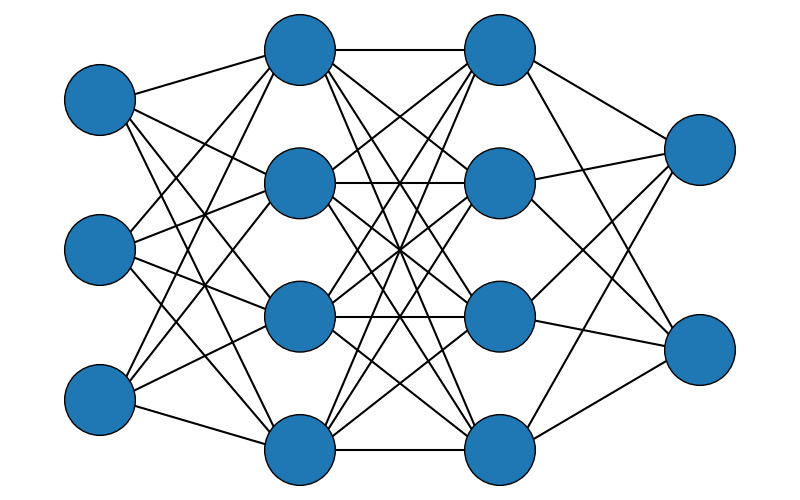
To draw a NN, we have to provide the number of layers and number of nodes in each layer as a list.
plot_nn(4, [3, 4, 4, 2])
<Axes: >
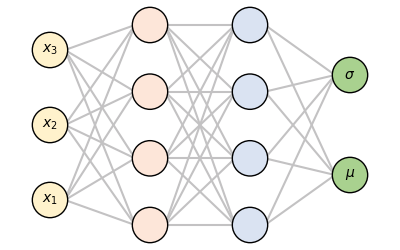
We can also specify colors and labels for nodes. Also, connectio color and spacing can be customized.
plot_nn(4, nodes = [3, 4, 4, 2],
        fill_color = ['#fff2cc', "#fde6d9", '#dae3f2', '#a9d18f'],
        labels = [[f'$x_{j}$' for j in range(1, 4)], None, None, ['$\mu$', '$\sigma$']],
        connection_color = '#c3c2c3',
        spacing = (1, 0.5))
<Axes: >
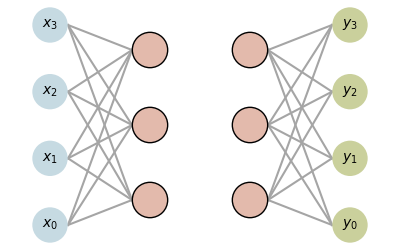
Customized line style for connections between layers and width of edge line of circles
plot_nn(4, nodes = [4, 3, 3, 4],
        fill_color = ['#c6dae2', "#e3baac", '#e3baac', '#cad09c'],
        labels = [[f'$x_{j}$' for j in range(4)], None, None, [f'$y_{j}$' for j in range(4)]],
        connection_color = '#a5a5a5',
        connection_style = ['-', None, '-', '-'],
        circle_edge_lw = [0.0, 1.0, 1.0, 0.],
        spacing = (1, 0.5),
        x_offset = 0.18)
<Axes: >
Total running time of the script: (0 minutes 0.450 seconds)
